
Every day you craft emails that are repetitive.
And, if you are like many wholesalers, you retype each one.
Stop the insanity!
By using iPhone Text Replacement you’ll be able to have simple words, or entire blocks of text, auto-populate in a message with a few keystrokes.
For example: At Wholesaler Masterminds® when we get an inquiry for coaching, by simply hitting ‘Reply’, and then starting to type coachreply the following block of text appears:
Thanks for your interest in Wholesaler Masterminds® coaching. I’ve cc’d my assistant Wendy who will reach out to find a convenient time for us to connect. I look forward to speaking.
Just a couple of inputs to customize and viola, the reply email is ready to go in about 15 seconds.
After +15-years of service to our wholesaling community, I've now retired - and I’m committed to keeping all our resources available for future generations of wholesalers and their leaders – but only as long as it makes fiscal sense.
Please consider a seamless, no fee donation using Zelle or PayPal.
Our Zelle address is: shorespeak@gmail.com or use the QR codes.
THANK YOU!
Rob Shore
Founder


Think about the blocks of text that you constantly retype day after day after day – and then set up Text Replacement instead.
Here’s how:
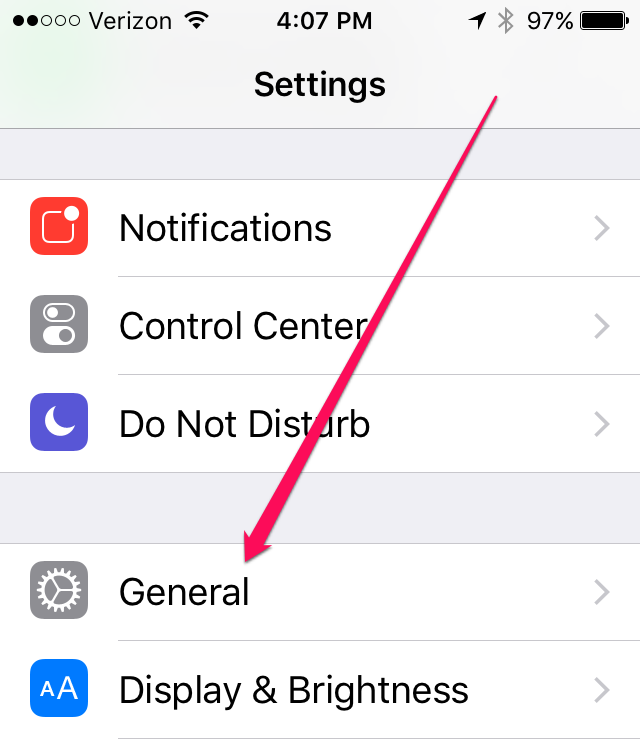
After selecting your Settings icon on your Home screen choose General
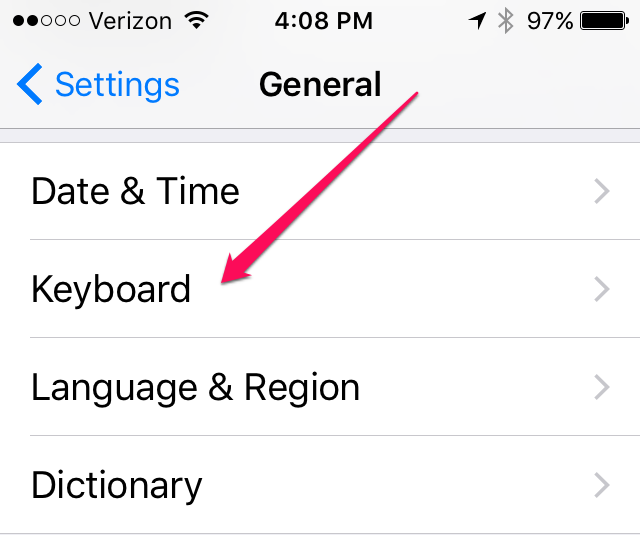
Now select Keyboard
Now choose Text Replacement
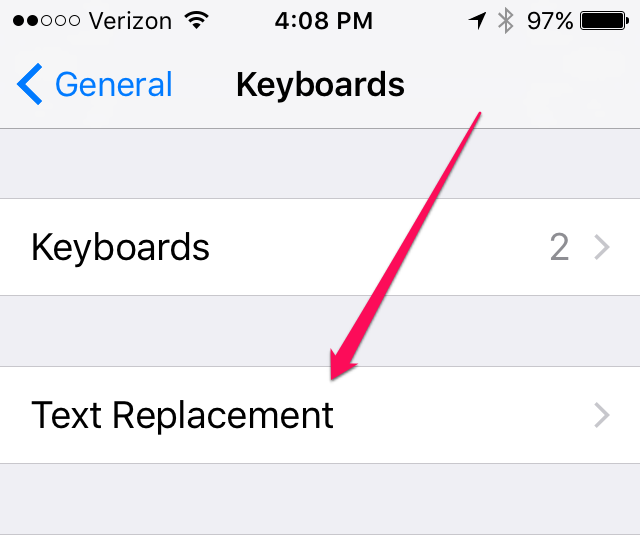
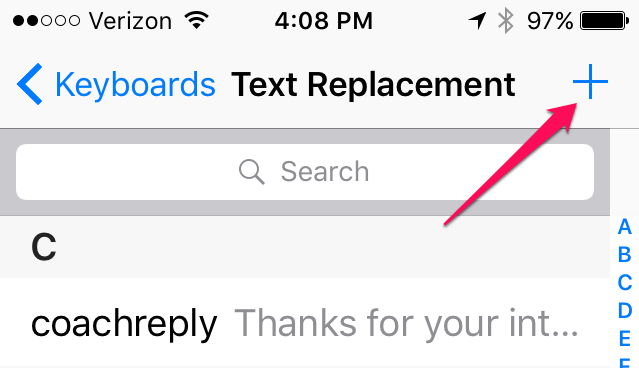
Hit the + sign to enter a new Text Replacement
 Please share this post
 Top 10 Posts of 2010
 When Is Your Wholesaling Day Done?
 Parkinson’s Law and the Importance of Time Blocking Your Calendar
 For Divisional Managers (Part One): Create a More Effective Ride-Along
 Dear Wholesalers, It’s Not About You – Bob Burg